Card Matching Game
Flip two cards, spot the pair, and clear the board before the move counter climbs too high.
Gameplay overview
Classic matching with modern polish
This card-matching project showcases Flutter on the web. Each game shuffles the deck, then challenges you to uncover pairs with as few moves as possible. A timer and move counter track your performance, so it’s perfect for quick memory workouts.
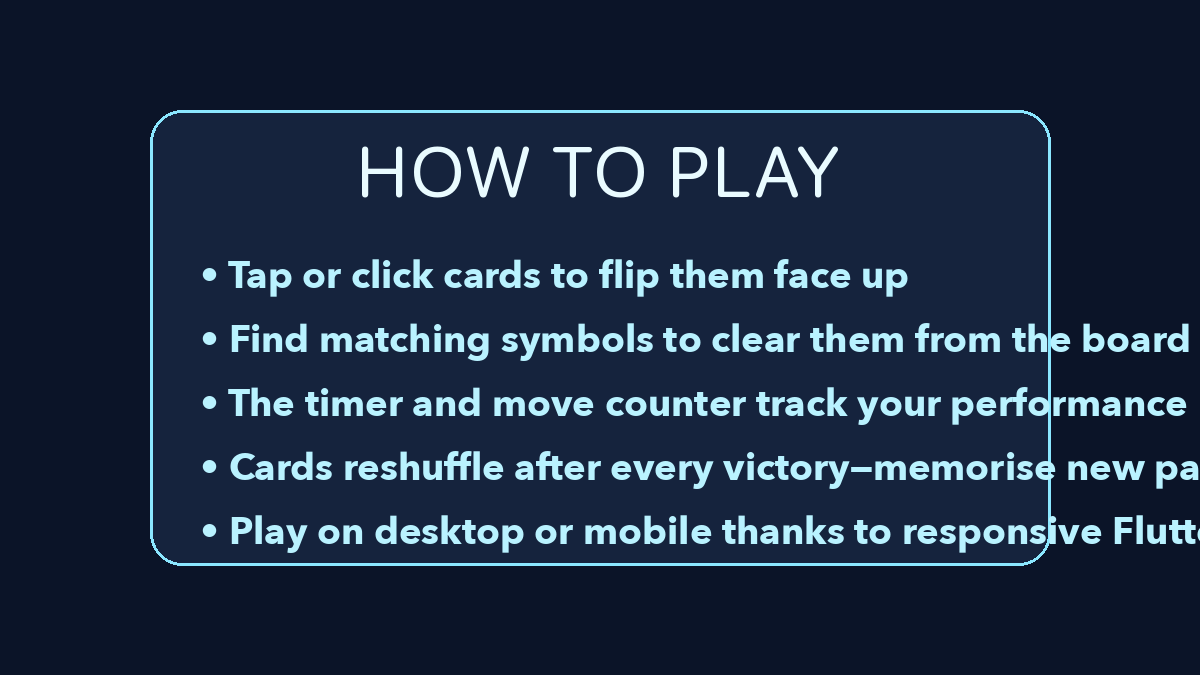
Your objective
What you are trying to achieve
Card Matching Game is a memory test: the deck is shuffled, and you flip two cards at a time to uncover matching pairs. Your goal is to clear every pair from the board, ideally in as few moves as possible, since the move counter and timer both track how efficient your recall is.
Controls
Touch-friendly
- Click or tap a card to flip it. Flip a second card to check for a match.
- Mismatched cards flip back automatically after a short delay.
- Restart the session from the in-game button when you’re ready for a reshuffle.
Because it’s built with Flutter, the layout adapts cleanly to phones, tablets, and desktops.
Beginner guide
Your first few minutes
There is no time pressure to start, so use your first flips to build a mental map of the board.
- Click or tap a card to flip it, then flip a second card to check for a match.
- Use the opening flips to scan the grid rather than guessing randomly.
- Mentally group cards by rows so you can recall positions faster.
- Once you have seen several cards, start pairing them systematically instead of flipping at random.
- Mismatched cards flip back automatically, so note what you saw before the delay ends.
- Restart from the in-game button when you want a fresh shuffle or a cleaner run.
Advanced tips
Sharpen your memory
- Mentally group cards by rows so you recall positions faster.
- Use the initial flips to scan the board, then start pairing matches systematically.
- Challenge friends by comparing move counts or speed runs.
Our take
Why this Card Matching Game still works
Even with many modern twists on the memory genre, a clean card-matching game like this remains compelling. The rules are instantly obvious, yet your own focus and recall make a huge difference to how quickly you can clear each grid.
The straightforward presentation keeps the emphasis on pattern recognition rather than flashy effects, which makes it a good fit for anyone who wants a calm, brain-training style experience.
Who will enjoy it?
- Players of all ages who enjoy memory tests and concentration exercises will find something to like here. If you are looking for narrative or complex mechanics it will feel very simple, but as a focused way to practice short-term recall, it more than does the job.
Frequently asked questions
Need a quick answer?
- How do you play Card Matching Game?
- Flip two cards at a time to reveal their icons; a matching pair stays face up, while a mismatch flips back after a short delay.
- What is the goal in Card Matching Game?
- Clear every pair from the board in as few moves as possible, keeping your move count and time low.
- What are the controls for Card Matching Game?
- Click or tap a card to flip it, flip a second card to test for a match, and use the in-game button to restart with a reshuffle.
- Is there sound in Card Matching Game?
- The current build is silent, which makes it a good choice for low-distraction memory sessions.
- Can you play Card Matching Game offline?
- Yes. You can install the Flutter app locally or package the open-source project for mobile to play without a connection.
- Does Card Matching Game work on phones?
- Yes. Because it is built with Flutter, the layout adapts cleanly to phones, tablets, and desktops.
- What are the best tips for Card Matching Game?
- Use your first flips to map the grid, group cards by row in your memory, and pair known cards systematically rather than guessing.
- Is there sound?
- The current build is silent—ideal for low-distraction memory sessions.
- Can I play offline?
- Install the Flutter app locally or package it for mobile using the project source.