CubeShooter
A minimalist neon arena: strafe, shoot, and survive endless waves of hostile cubes to push your score sky-high.
Gameplay overview
Retro FPS vibes
CubeShooter began as a lightweight FPS prototype inspired by demoscene classics. Your cube avatar moves across a glowing grid while enemy cubes swarm in from all directions. Each wave throws more projectiles, forcing you to weave through bullet curtains and manage limited health.
Your objective
What you are trying to achieve
Survive as many waves of hostile cubes as you can. Your health doubles as your score, so dodging fire and chaining quick kills keeps the counter positive while each wave adds more projectiles.
Controls
Mouse + keyboard or arrows only
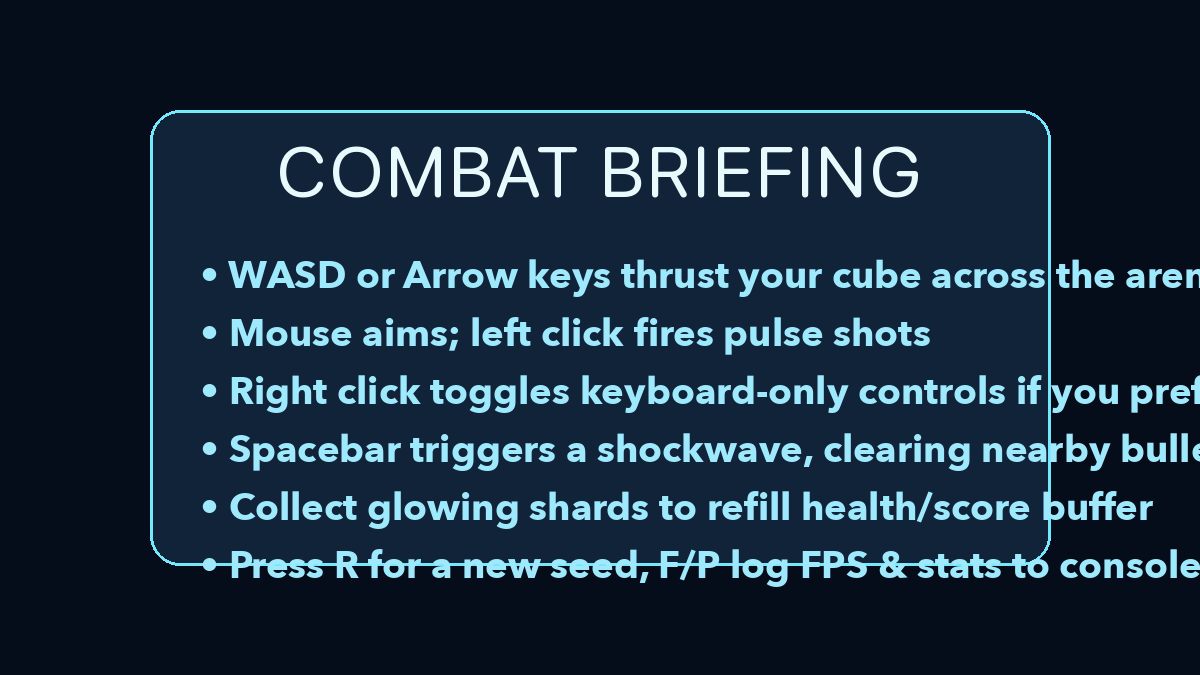
- W A S D / arrow keys move the cube in four directions.
- Mouse look + left click fires pulse shots. Right click toggles keyboard-only aiming if you prefer pure arrow controls.
- Space unleashes a shockwave that clears nearby bullets (short cooldown).
- R rerolls the procedural enemy seed; F and P output FPS and stats to the console.
Beginner guide
Your first few minutes
CubeShooter is a score chase, so learn to circle-strafe before you worry about racking up kills.
- Move with WASD or the arrow keys and use the mouse to aim.
- Fire pulse shots with left click while strafing sideways to avoid incoming bullets.
- Press Space to fire a shockwave that clears nearby projectiles when you get boxed in.
- Watch the health and score counter, since hits push it negative while rapid kills rebuild it.
- If a seed's layout frustrates you, press R to reroll the procedural enemy pattern.
Advanced tips
Slide and burst
- Circle strafe around groups to stack them together, then trigger the shockwave for multi-kill bonuses.
- Use the keyboard-only toggle when you need consistent diagonal strafes without lifting the mouse.
- Reroll seeds until you find patterns you enjoy mastering—each layout feels different.
Scoring & enemies
Survive to climb
Your health mirrors your score delta—take hits and the cube flashes red as the counter drops negative. Chain quick kills to rebuild the score into positive territory and restore your bright yellow glow. Enemy formations escalate, including homing drones and scattershot turrets.
Our take
Why CubeShooter is a neat browser FPS experiment
CubeShooter focuses on the essentials of a score-chasing arena shooter: tight movement, readable projectiles, and waves that ramp difficulty without overcomplicating controls. The minimalist cube visuals keep the action clear even when the screen fills with bullets.
Because it is open source, it also doubles as a reference project if you are interested in how WebGL shooters handle input, camera, and wave generation in the browser.
Who will enjoy it?
- If you like arcade survival shooters and do not mind abstract visuals, CubeShooter is an easy one to fire up for quick runs. Developers curious about web-based FPS mechanics will get extra value from browsing the code while they play.
Frequently asked questions
Need a quick answer?
- How do you play CubeShooter?
- Strafe across the grid with WASD or the arrow keys, aim with the mouse, and fire pulse shots at the swarming enemy cubes.
- What is the goal in CubeShooter?
- Survive endless waves for the highest score, remembering that your health doubles as your score delta.
- What are the controls for CubeShooter?
- WASD or arrows move, the mouse looks and left click fires, Space triggers a shockwave, and R rerolls the seed.
- Can you play CubeShooter on mobile?
- No touch controls are listed. Keyboard and mouse, or the keyboard-only aiming toggle, are recommended for the browser build.
- Is CubeShooter free to play?
- Yes. It is a free open-source browser shooter hosted on GitHub Pages.
- Is there an end to CubeShooter?
- No. It is an endless survival score chase with escalating enemy waves.
- How do I get a higher score in CubeShooter?
- Circle-strafe to group enemies together, then chain kills and fire the shockwave for multi-kill bonuses.
- Does CubeShooter support controllers?
- Keyboard and mouse are recommended; twin-stick pads may work with browser remapping but aren’t officially supported.
- Can I pause?
- Press Esc to release pointer lock and the action halts while the cursor is free.