PoryDrive
Slide across AI-generated highways, string drifts together, and let the machine remix the skyline each time you spawn.
Gameplay overview
Procedural synthwave driving
PoryDrive began as an experiment to see how far AI prompting could carry a racing prototype. The result is a looping expressway lined with neon towers and a responsive BMW-style coupe. Drift through traffic, toggle cinematic cameras, and boost down sun-soaked straights while the soundtrack pulses in the background.
Your objective
What you are trying to achieve
PoryDrive is an endless synthwave cruise rather than a race with a finish line: you steer a coupe down a looping AI-generated highway, drifting through traffic and chaining boosts for as long as you want. The run only ends when you choose to reset, so players set their own targets—clean drift chains, lap times, or simply taking in the neon skyline.
You can also hand the wheel to the built-in AI auto-drive and let the machine lap the city while you watch.
Controls
Keyboard & mouse
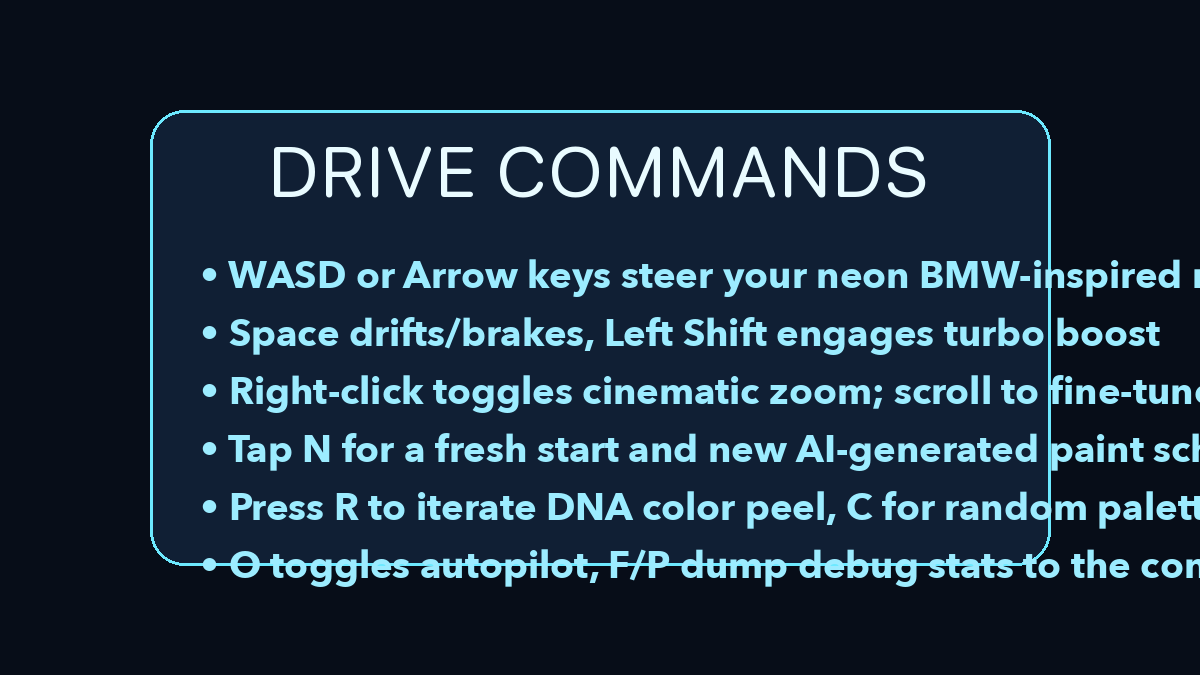
- W A S D / arrow keys steer and accelerate.
- Space acts as a handbrake for slide turns; hold Left Shift to engage nitro boost.
- N resets the run with a brand-new car colour; C cycles random palettes.
- Right-click switches between close chase and aerial cameras; scroll adjusts the zoom smoothly.
- O toggles the auto-drive demo—the AI takes the wheel while you admire the skyline.
Beginner guide
Your first few minutes
The expressway is endless, so spend the first run learning the handling before chasing performance.
- Steer and accelerate with W, A, S, D or the arrow keys to get a feel for the coupe.
- Hold Left Shift to engage nitro boost on a straight, and tap Space as a handbrake to set up a slide turn.
- Use the scroll wheel to adjust zoom and right-click to switch between the close chase and aerial cameras.
- Press N to respawn with a brand-new car colour, or C to cycle random palettes.
- Press O to toggle the auto-drive demo and study how the AI handles corners.
- Edit the config.txt physics overrides when you want to retune steering inertia or drag.
Advanced tips
Keep the vibe high
- Use short boost bursts out of corners to chain drifts without losing control.
- Zoom out for better situational awareness when traffic density ramps up.
- Experiment with colour DNA peels ( R ) to craft your preferred neon gradient.
Advanced tweaks
Custom physics
Drop a config.txt file alongside the executable to override physics variables. You can alter steering inertia, drag, suspension pitch, and even the AI auto-drive parameters. Reloading the page immediately applies your adjustments, enabling precise tuning sessions.
Our take
Why PoryDrive is great for a synthwave cruise
PoryDrive is as much about mood as it is about racing. The procedural highway, neon skyline, and thumping soundtrack make it easy to slip into a flow state, whether you are actively chasing clean drifts or just letting the auto-drive lap the city while you enjoy the view.
The ability to tweak physics and colour palettes gives tinkerers a playground to explore, turning the game into a small, customisable driving sandbox rather than a fixed track racer.
Who will enjoy it?
- If you like synthwave aesthetics, arcade racers, or simply want a stylish backdrop while you unwind, PoryDrive is worth a spin—especially for players who enjoy tweaking handling to find their ideal driving feel.
Frequently asked questions
Need a quick answer?
- How do you play PoryDrive?
- Drive down an endless AI-generated highway, drifting through traffic and using nitro boost on the straights while the synthwave soundtrack plays.
- What are the controls for PoryDrive?
- WASD or the arrow keys steer and accelerate, Space is the handbrake, Left Shift holds nitro, N respawns with a new colour, C cycles palettes, right-click swaps cameras, scroll zooms, and O toggles auto-drive.
- Is there an end goal in PoryDrive?
- No—it is an endless cruise, so you set your own goals such as clean drift chains or personal lap times.
- Is PoryDrive free to play?
- Yes, it runs free in the browser from the project's GitHub Pages site.
- Can I play PoryDrive with a controller?
- Most browsers can map controller axes to the underlying WebGL input, but the keyboard controls remain the most responsive option.
- How do I reset pointer lock in PoryDrive?
- Press Esc to free the cursor whenever you need to adjust settings or leave full-screen.
- Can I customise the physics in PoryDrive?
- Yes—drop a config.txt file alongside the executable to override variables like steering inertia, drag, suspension pitch, and even the auto-drive parameters, then reload to apply them.
- Can I play with a controller?
- Yes—most browsers map controller axes to the underlying WebGL input, but keyboard controls remain the most responsive.
- How do I reset pointer lock?
- Press Esc to free the cursor whenever you need to tweak settings or leave full-screen.