SpaceMiner
Drift through a glittering asteroid cloud, mine elemental shards, and keep your penguin astronaut alive in the void.
Gameplay overview
Harvest the asteroid belt
SpaceMiner is a mellow 3D arcade game. You pilot Tux’s spacesuit among thousands of asteroids, mining them for five elemental resources: Break, Shield, Stop, Repel, and Fuel. Keep those reserves topped up to stay mobile; run out of Break or Fuel and your drift ends quickly.
Your objective
Stay supplied
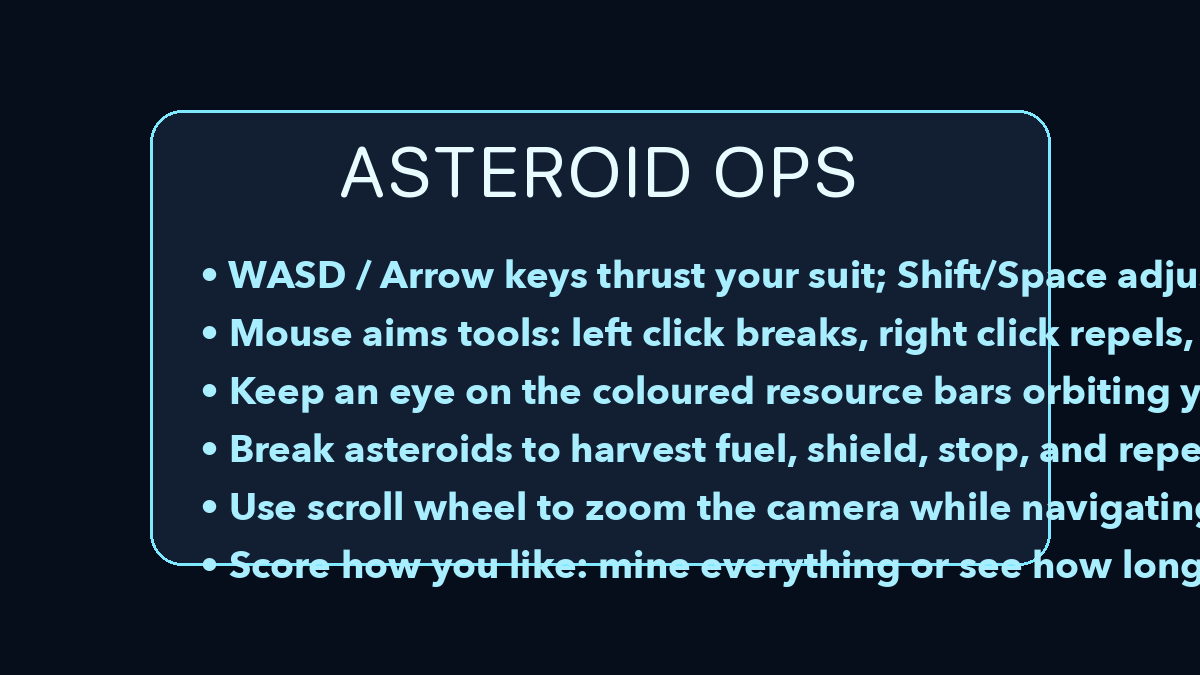
There is no strict objective in SpaceMiner. You drift through a dense asteroid field, mine rocks for five elemental resources, and keep your suit supplied so the run can continue.
Fuel and Break shards are the essentials, since without them you cannot move or crack asteroids, while Shield, Stop, and Repel energy help you control the swarm.
Controls
Mouse + keyboard flight
- W / S thrust forward/backward, A / D turn left/right.
- Space rises, Left Shift descends.
- Left click breaks asteroids, Right click repels them, Mouse 4 pauses everything nearby.
- Scroll to zoom the camera; N restarts with a fresh field.
- Q / E / R map to break/stop/repel for keyboard-only play, F and P print diagnostics.
Beginner guide
Your first few minutes
SpaceMiner is a chill sandbox, so the first session is about learning what each coloured shard does.
- Fly with W and S to thrust, A and D to turn, Space to rise, and Left Shift to descend.
- Prioritise orange Break shards, because without them you cannot crack asteroids for anything else.
- Collect green Shield shards before diving into a crowded cluster so bumps do not drain your fuel.
- Use Stop on the largest asteroids and circle back to mine them once your fuel is topped up.
- Press N to restart with a fresh field whenever you want a clean run.
Advanced tips
Drift smart
- Prioritise orange Break shards; without them you can’t crack asteroids for other resources.
- Collect green Shield before diving into crowded clusters so bumps don’t drain fuel.
- Use Stop beams on the largest asteroids, then circle back after replenishing fuel to mine at leisure.
Our take
Why SpaceMiner is a chill space toy
SpaceMiner is less about strict objectives and more about the feel of gliding through an asteroid field while juggling a handful of key resources. Once you internalise what each colour shard represents, managing Break, Shield, Stop, Repel, and Fuel turns into a light balancing act that keeps every run engaging.
The open-ended structure means you can treat it as a survival challenge or simply a relaxing way to fly around and chip away at rocks while listening to music or a podcast.
Who will enjoy it?
- If you like arcade-style space games but want something more meditative than score-obsessed shooters, SpaceMiner is a good fit—especially for fans of the broader Tux experiment series by the same developer.
Frequently asked questions
Need a quick answer?
- How do you play SpaceMiner?
- Fly Tux's spacesuit through the asteroid field, break rocks to mine five elemental resources, and keep your Break, Shield, Stop, Repel, and Fuel reserves from emptying.
- What is the goal in SpaceMiner?
- There is no strict win state. You can mine everything you find or simply chase a personal survival record while gliding through the galaxy.
- What are the controls for SpaceMiner?
- W and S thrust, A and D turn, Space rises, Left Shift descends, left-click breaks asteroids, right-click repels them, and N restarts with a fresh field.
- Is SpaceMiner free to play?
- Yes. SpaceMiner is a free browser game on GitHub Pages, with no download needed to start mining asteroids.
- Why do I keep running out of fuel in SpaceMiner?
- Fuel drains as you move and bump into rocks. Scoop up fuel shards regularly, and collect green Shield shards before diving into crowded clusters.
- What do the five elemental resources do in SpaceMiner?
- Mining asteroids yields Break, Shield, Stop, Repel, and Fuel. Orange Break shards let you crack rocks, green Shield shards protect your suit from bumps, and Fuel keeps you moving.
- Is there an end state in SpaceMiner?
- No. It is sandbox-style, so you set your own mining goals or just enjoy the cosmic ambience.
- Does SpaceMiner support controllers?
- Keyboard and mouse give the best precision, but you can map controller axes using browser tools.
- How do I pause?
- Press Esc to release pointer lock; the game halts while the cursor is free.