Vector Tango
Keep Vibe City’s night sky humming—draw flight paths, stack altitude layers, and land every glowing aircraft without a collision.
Gameplay overview
Neon air traffic control
Vector Tango reimagines classic flight-control games with a 3D synthwave aesthetic. Drag on planes to sketch their paths, match each aircraft to the runway that shares its color, and adjust altitude to weave them past one another. Every successful landing adds to your streak; one mid-air collision ends the night shift.
Your objective
Land everything
Land every aircraft on a runway that matches its colour without letting two planes collide. Each successful landing raises your score multiplier and streak.
A mid-air collision, or sending a plane to the wrong-coloured runway, ends the night shift—so the goal is to keep the streak and the traffic flowing for as long as possible.
Controls
Precision routing
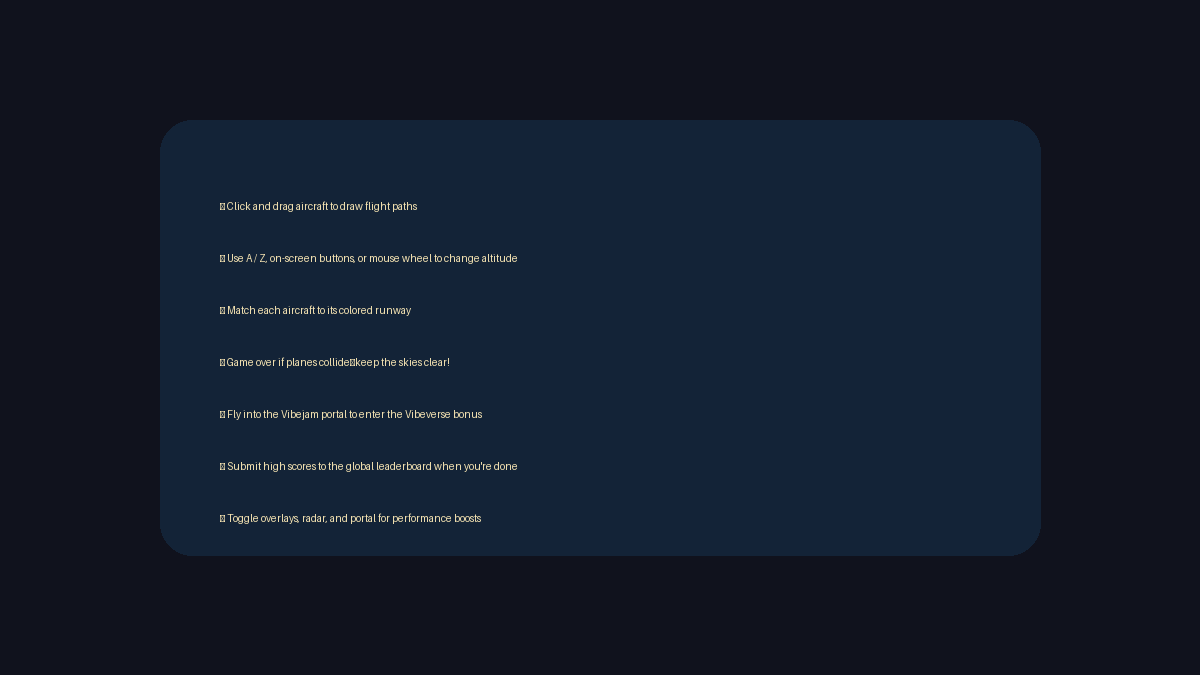
- Click and drag aircraft to plot new vectors; release to lock their path.
- Use A / Z , the on-screen buttons, or the mouse wheel to change altitude layers.
- Pinch or scroll to zoom; toggle overlays, radar, and portal effects to boost performance.
- Entering the Vibejam portal warps planes into the Vibeverse bonus loop.
Vibe monitors in the HUD track current landings, best streak, and global leaderboard entries. Submit your call sign after each run to claim the top spot.
Beginner guide
Your first few minutes
Vector Tango is about calm queue management, so start by learning how altitude layers keep planes apart in busy airspace.
- Click and drag a plane to sketch its path from the approach to the runway that matches its colour.
- Use A/Z, the mouse wheel, or the on-screen buttons to move a plane up or down an altitude layer.
- Stagger arrivals at different heights so two planes never reach the same point at once.
- Descend one plane at a time onto its runway instead of rushing several down together.
- Draw gentle curves rather than tight turns so planes do not overshoot the runway threshold.
- Send surplus traffic through the Vibeverse portal to buy time when your queue stacks up.
Advanced tips
Keep the lanes clear
- Stagger arrivals by altitude, then descend one plane at a time to its runway.
- Draw gentle curves instead of tight turns to avoid overshooting the threshold.
- Send lighter traffic through the portal when your queue stacks up—it buys time to reorganise the pattern.
Our take
Why Vector Tango hits a sweet spot
Vector Tango nails the “air traffic controller in a neon diorama” fantasy without drowning you in knobs to tweak. The coloured runways and altitude bands give you clear visual language for what matters, so you can quickly scan the airspace and route planes on instinct. As runs stretch longer, you start to see your own patterns—how you stack approaches, where you tend to choke the queue—and shaving seconds off those bottlenecks becomes its own satisfying puzzle.
The synthwave presentation also does a lot of work. Lighting, UI, and sound all push you into a relaxed focus state, which is exactly what you want when threading four planes through a portal while another three descend through the same corridor. It feels like a modern take on classic line-drawing mobile games, but with enough nuance in altitude and portal management to keep score chasers engaged for a long time.
Who will enjoy it?
- If you enjoy minimalist strategy games, score-attack arcade titles, or the vibe of being the calm centre in a busy control tower, Vector Tango is an easy recommendation. Players who like short, replayable runs and global leaderboards will find a lot to chase here, while those looking for a long campaign or narrative progression may prefer to treat it as a pure high-score toy.
Frequently asked questions
Need a quick answer?
- How do you play Vector Tango?
- Drag on planes to draw their flight paths, match each aircraft to the runway that shares its colour, and weave them past one another by adjusting altitude layers.
- What is the goal in Vector Tango?
- Land every plane on a same-coloured runway without a collision. Each success raises your multiplier, while a crash or a wrong runway ends the shift.
- What are the controls for Vector Tango?
- Click and drag a plane to plot its vector, use A/Z, the mouse wheel, or on-screen buttons to change altitude, and pinch or scroll to zoom the airspace.
- Is Vector Tango free to play?
- Yes. Vector Tango is a free browser air-traffic game launched for Vibe Jam 2025, playable at vector-tango.com.
- Does Vector Tango run on mobile?
- Yes. The airspace supports touch dragging, pinch-to-zoom, and on-screen altitude buttons, so it plays on phones and tablets.
- How do I improve performance in Vector Tango?
- Toggle off overlays, radar sweeps, and the Vibeverse portal in the settings menu to lighten the rendering load.
- Where are Vector Tango high scores saved?
- The HUD tracks your current landings and best streak, and you can submit your call sign after a run to add your score to the global leaderboard.
- How do I improve performance?
- Toggle off overlays, radar sweeps, and the Vibeverse portal from the settings menu to lighten the rendering load.
- Where are high scores saved?
- Submit your call sign after a run to push the score to the global leaderboard; local storage keeps your best streak for quick reference.